
BrokerMule vs HubSpot for Real Estate Agents: Specialized or Flexible?

Both products have free starting points, but the free value is different: HubSpot gives you a general CRM foundation you shape yourself, while BrokerMule gives you unlimited buyer records with search criteria, a buyer portal and one active SMS automation already built. The better free CRM is the one whose default data model resembles your actual work.
| BrokerMule | HubSpot | |
|---|---|---|
| Free tier | Unlimited clients + portal | Contacts, deals, pipelines |
| Paid tiers | $29/mo Starter · $79/mo Pro | Sales, Marketing, Service Hubs |
| Industry | Real estate buyers | Industry-agnostic |
| Buyer search criteria | Built in | Custom properties you create |
| Property matching | Yes | No |
| Buyer portal | Yes, branded per client | No |
| Integrations | Focused feature set | Very large ecosystem |
| Setup effort | Minutes | You design the model |
Flexibility versus specialization
HubSpot is one of the most flexible CRMs a real estate agent can adopt without committing to real-estate-specific software. BrokerMule takes the opposite path: it is intentionally built around a particular real estate workflow.
That makes this a classic flexibility-versus-specialization decision, and neither answer is universally right.
HubSpot's advantage: a broad CRM platform
HubSpot offers free CRM tools for contacts, companies, deals, pipelines, data sync and reporting, with paid sales, marketing, service and content products available as a business grows. HubSpot also publishes real-estate-specific CRM guidance even though the core platform is industry-agnostic.
Agents who want custom pipelines, a large integration ecosystem and room to connect many business functions will prefer that flexibility. If you run other business lines, manage a team, or expect your process to change, a platform that adapts is genuinely valuable.
BrokerMule's advantage: less setup around buyers
BrokerMule already knows the concepts a buyer's agent uses every day: search criteria, location, budget, beds, baths, listing matches, saved homes, comments and tours.
You do not need to design a custom object or invent a workflow for "this listing matches what Sarah asked for." That specificity saves setup and training time — and, more importantly, saves the ongoing decisions that come with a flexible system.
The cost of that convenience is real: if your process does not look like the one BrokerMule assumes, you cannot reshape the product to fit.
Free does not mean identical
Both products have free starting points, but the free value is different.
HubSpot gives you a general CRM foundation — a well-built container you fill with your own structure. BrokerMule gives you unlimited buyer records plus a buyer-facing portal and one active SMS automation, with the structure already decided.
The better free CRM is the one whose default data model resembles your actual work. Our free real estate CRM guide covers what to verify in any free tier, including export rights and contact caps.
When HubSpot wins
Choose HubSpot when you want a general business platform, custom sales pipelines, broad integrations, or a CRM that can expand beyond residential real estate. It is also the better answer if you already know how you want to model your business and want software that will not argue.
When BrokerMule wins
Choose BrokerMule when your primary users are agents managing home buyers and you want property-aware follow-up without configuring a general platform.
A useful way to decide: open both and try to record one real buyer — their budget, area, must-haves and last conversation. In BrokerMule those fields exist. In HubSpot you create them first. Whether that is a chore or an opportunity tells you which product you actually want.
For the visual-pipeline alternative, see BrokerMule vs Pipedrive.
Keep learning
Go deeper with real estate lead nurturing, open house follow-up and the billing and plans guide.
Ready to switch? You can import your clients from a CSV or spreadsheet in a few minutes, and they come in with texts paused until you turn them on.
Do it in BrokerMule
All guides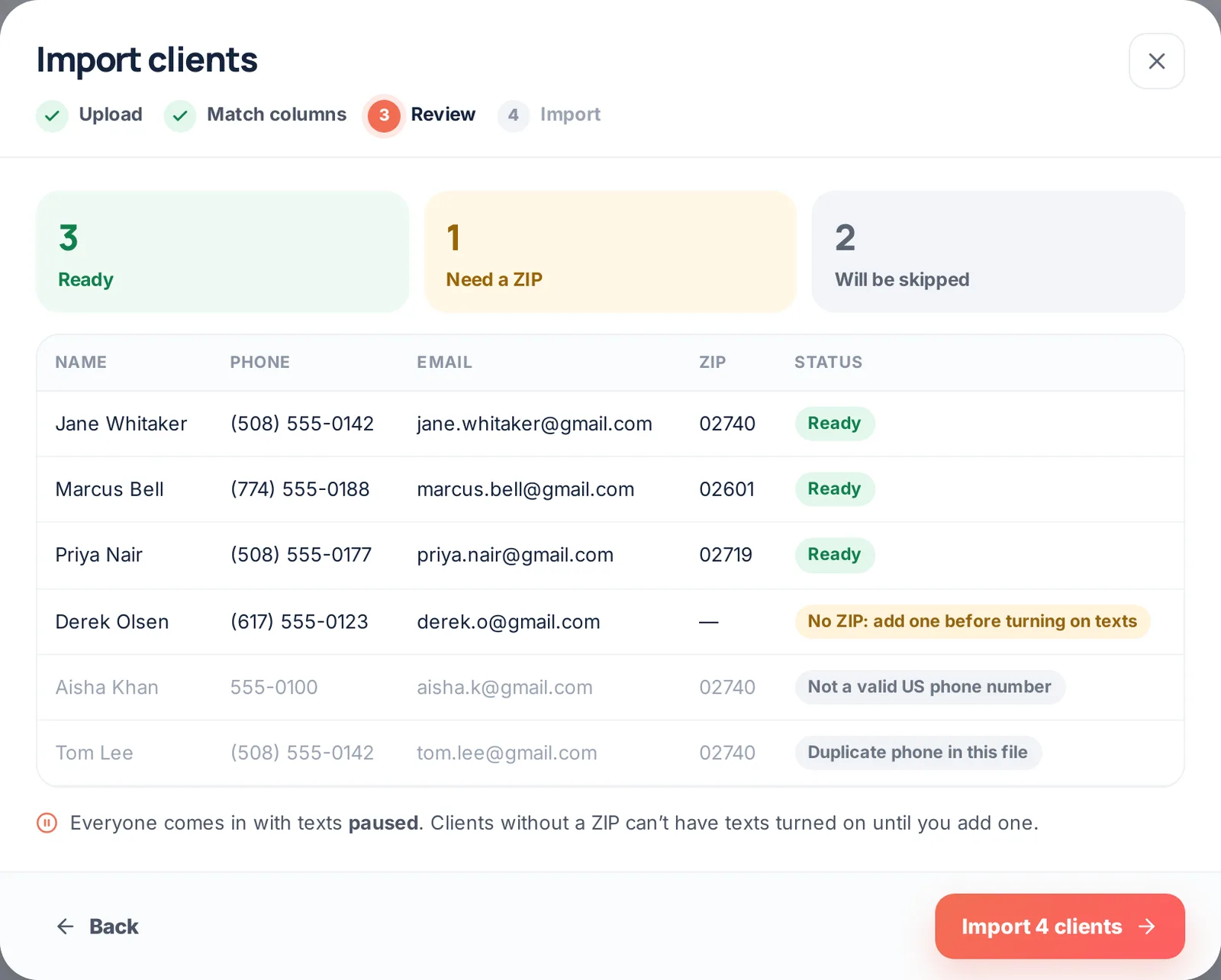 Importing clientsBring your whole client list over from another CRM or a spreadsheet: upload or paste, match columns, review, import. Texts stay off until you turn them on.
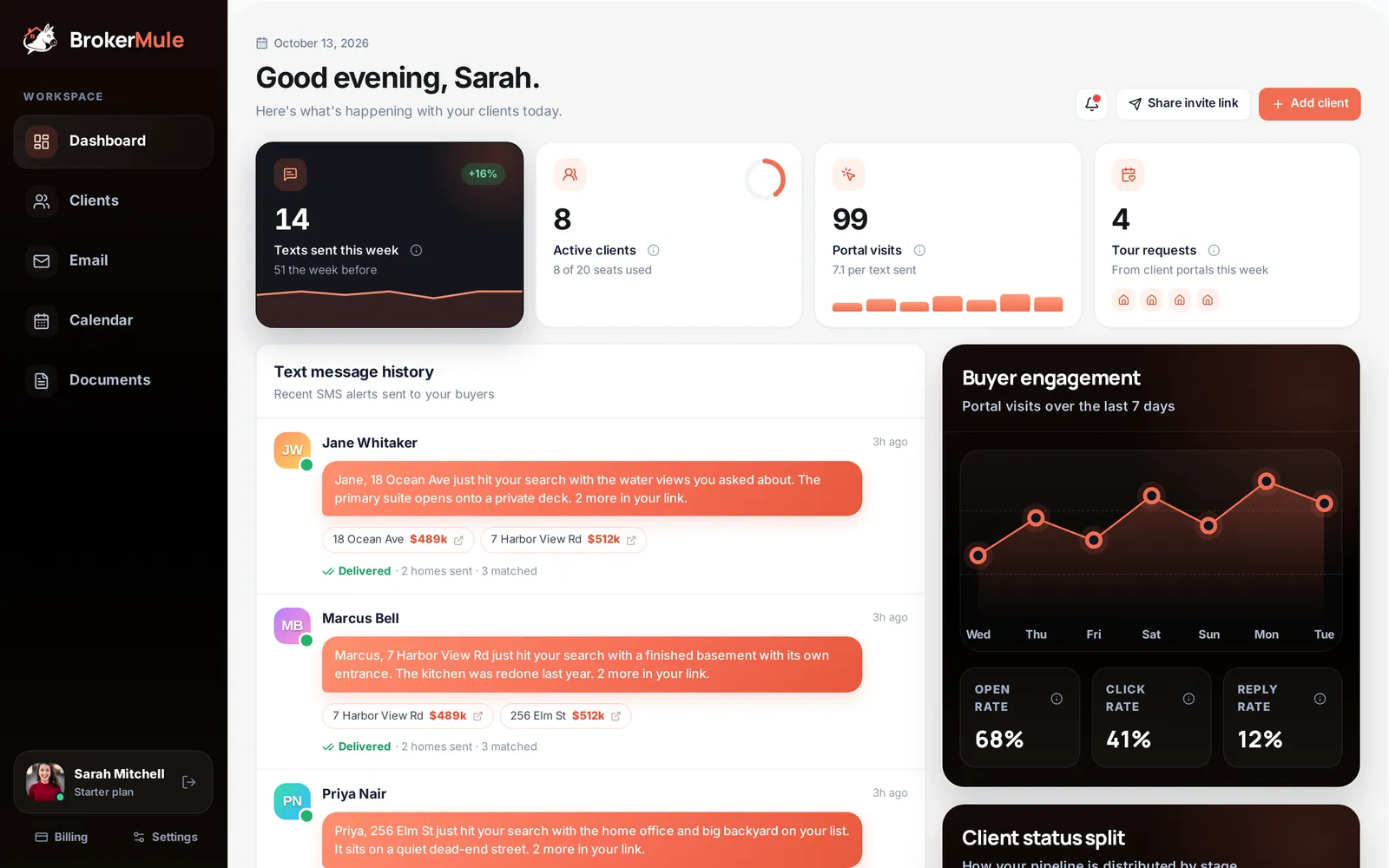 Getting startedA ten-minute walkthrough from your first login to your first automated listing text: profile, branding, clients, invite link and plans.
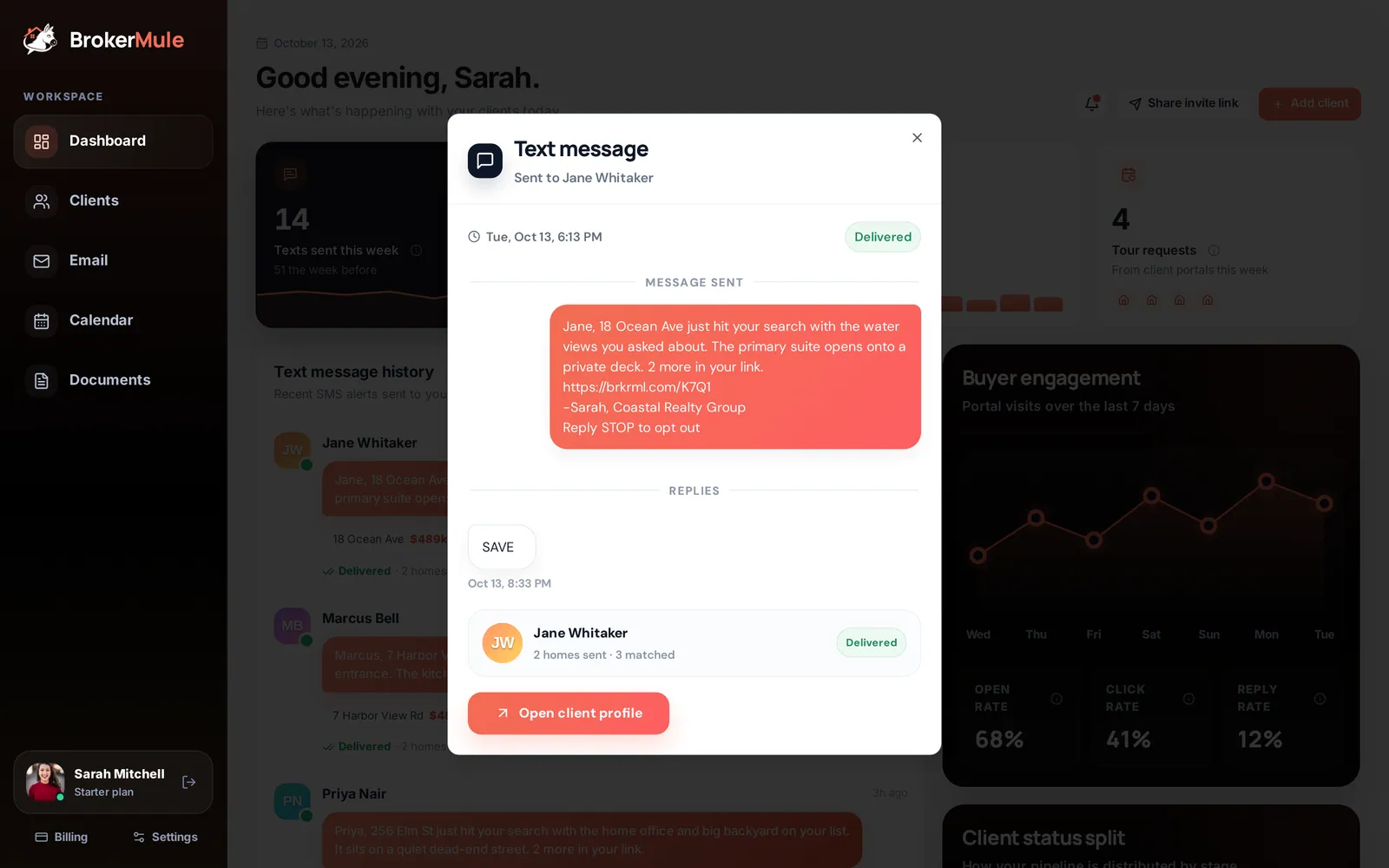 AI listing textsWhat happens behind every automated text: the daily search, how the AI writes in your voice, reply keywords, opt-outs and where to see results.
Frequently asked questions
Can HubSpot work as a real estate CRM?
Yes. HubSpot's free CRM handles contacts, deals and pipelines well, and HubSpot publishes real-estate-specific guidance. The trade-off is that buyer search criteria and property matching are not built in, so you create that structure yourself.
Is HubSpot free forever for agents?
HubSpot offers a free CRM tier with contact, deal and pipeline tools. Paid Sales, Marketing, Service and Content products are available as your needs grow, so costs scale with the hubs and features you add.
Which has a better free plan for real estate?
It depends on how much setup you want to do. BrokerMule's free plan already understands buyer criteria, listing matches and buyer portals. HubSpot's free plan is a more flexible foundation you configure yourself.
Does HubSpot do property alerts?
Not natively. HubSpot has no concept of MLS listings or buyer search criteria out of the box, so property-match alerts would require custom objects plus an external data source and integration work.
Sources
Competitor pricing and features change often. These were the references used when this page was last reviewed — verify anything critical before making a purchase decision.
Keep reading
 ComparisonsBrokerMule vs Pipedrive for Realtors: Real Estate Buyer CRM or Sales Pipeline?
BrokerMule vs Pipedrive: deals and stages at the centre, or the buyer and the homes that fit them. Both organize a real estate business around different objects.
 CRM & textingFree Real Estate CRM: What "Free" Actually Means in 2026
Most "free" real estate CRMs are trials or contact caps. Here is how to tell a genuinely free real estate CRM from a countdown clock — and what to check before you import your database.
 CRM & textingBest Simple Real Estate CRM for Agents Who Hate CRMs
If you hate CRMs, you probably do not hate contact management — you hate setup projects and duplicate data entry. How to find a genuinely simple real estate CRM.