
Real Estate Pipeline Stages for Buyer Agents: A Simple System That Scales

A buyer agent’s pipeline needs only a handful of stages: New lead, Searching, Touring, Under contract and Closed. Each stage should have a clear entry point and a next action, every client should be in exactly one stage, and you should review the board daily so no one sits too long. Fewer, clearer stages beat a complicated system you stop updating.
Every agent has a pipeline, even if it's a mental list of "people I should call." The trouble with a mental list is that it forgets. A simple written pipeline, with a few clear stages, tells you at a glance who needs attention today and who's quietly slipping away.
What a real estate pipeline is
A pipeline is a way of organizing clients by where they are in the buying process. Each client sits in one stage, and moves forward as things happen: they reply, they tour, they make an offer, they close. Looking at the pipeline answers three questions:
- Who needs something from me today?
- Who's stuck?
- How much business is coming in the next few months?
The core buyer pipeline stages
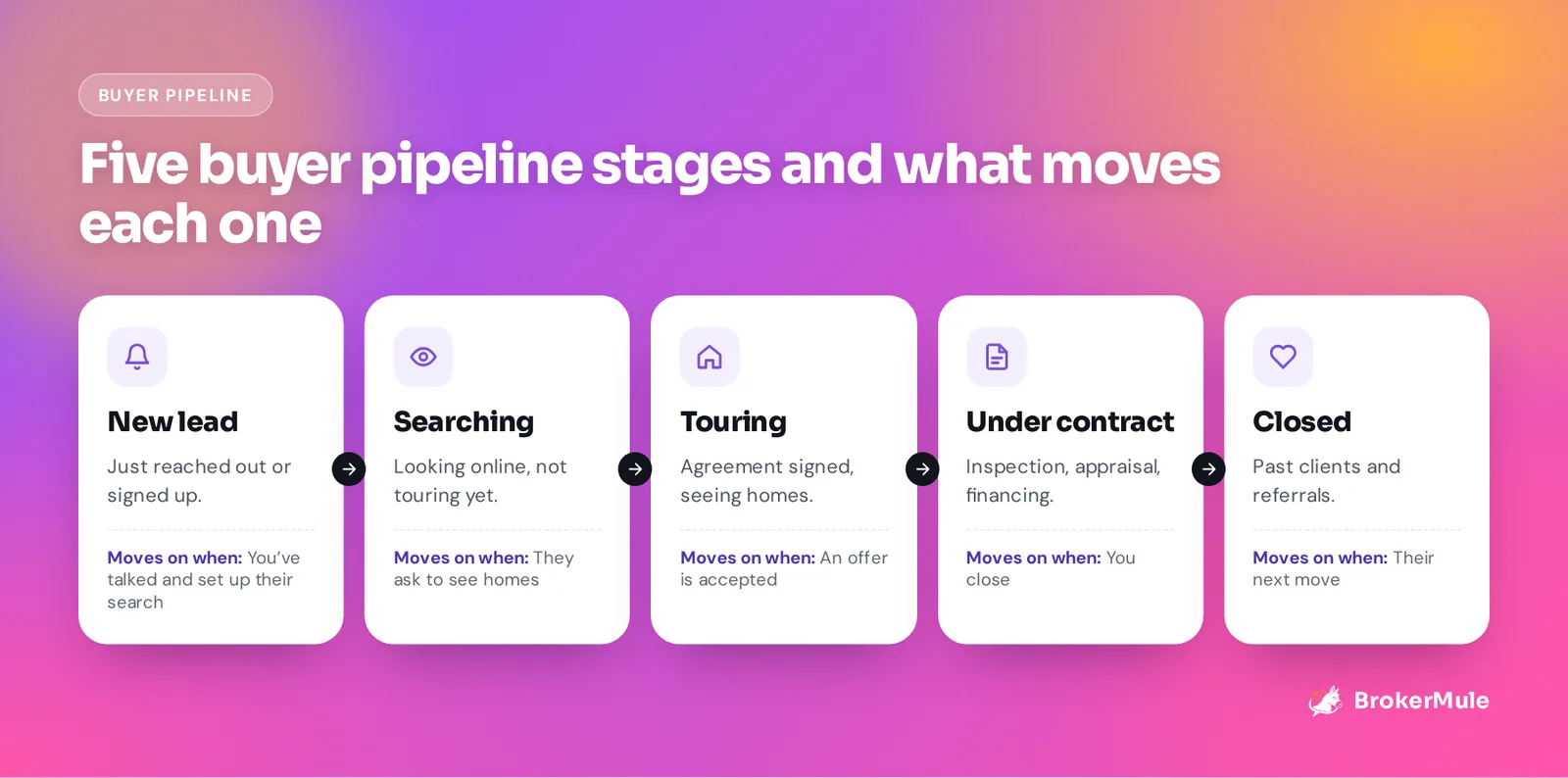
1. New lead
Who's here: Anyone who just reached out or signed up: website forms, open house visitors, referrals.
Goal: Make contact and learn what they want.
Moves on when: You've had a real conversation and set up their search. See our 30-day lead follow-up plan.
2. Searching
Who's here: Buyers who are actively looking at homes online, but not touring yet. Many sit here for months.
Goal: Keep them engaged with homes that fit, and spot when they're ready.
Moves on when: They ask to see homes. See real estate lead nurturing.
3. Touring
Who's here: Buyers with a signed buyer agreement who are seeing homes in person.
Goal: Narrow down to the right home.
Moves on when: They make an offer that gets accepted. See how to plan a showing tour.
4. Under contract
Who's here: Buyers with an accepted offer, working through inspection, appraisal and financing.
Goal: Keep the deal on track and the buyer calm.
Moves on when: You close.
5. Closed
Who's here: Past clients.
Goal: Stay in touch for referrals and their next move. See how to stay in touch with past clients.
Optional stages worth considering
Add stages only if they change what you do:
- Nurture (long-term leads more than six months out), if you have a lot of them
- Pre-approved, if getting financing done is a big step for your buyers
- Lost or paused, for buyers who went with someone else or put plans on hold
An alternative to more stages is tags. A buyer can be in "Searching" and tagged "Pre-approved" and "First-time buyer." Tags add detail without making the board harder to read.
Rules that keep a pipeline useful
- One stage per client. No duplicates, no "sort of touring."
- Clear triggers. Agree with yourself on what moves someone forward.
- A next action for everyone. If you don't know what's next for a client, that's your next action.
- Review daily. Five minutes each morning beats an hour on Friday.
- Move people backward too. A touring buyer who pauses for three months goes back to Searching.
A five-minute daily pipeline routine
- New leads: has everyone been contacted? Anyone from yesterday still waiting?
- Searching: anyone showing buying signals, like saved homes, replies or tour requests?
- Touring: next showings booked? Feedback from the last tour followed up?
- Under contract: any deadlines this week?
- Closed: any home anniversaries or check-ins due?
Spreadsheet or CRM?
A spreadsheet works for a handful of buyers. Once you have 15 or 20 in different stages, it gets hard to see who needs what, and nothing reminds you. Read real estate CRM vs spreadsheet for the honest tradeoffs.
Managing your pipeline in BrokerMule
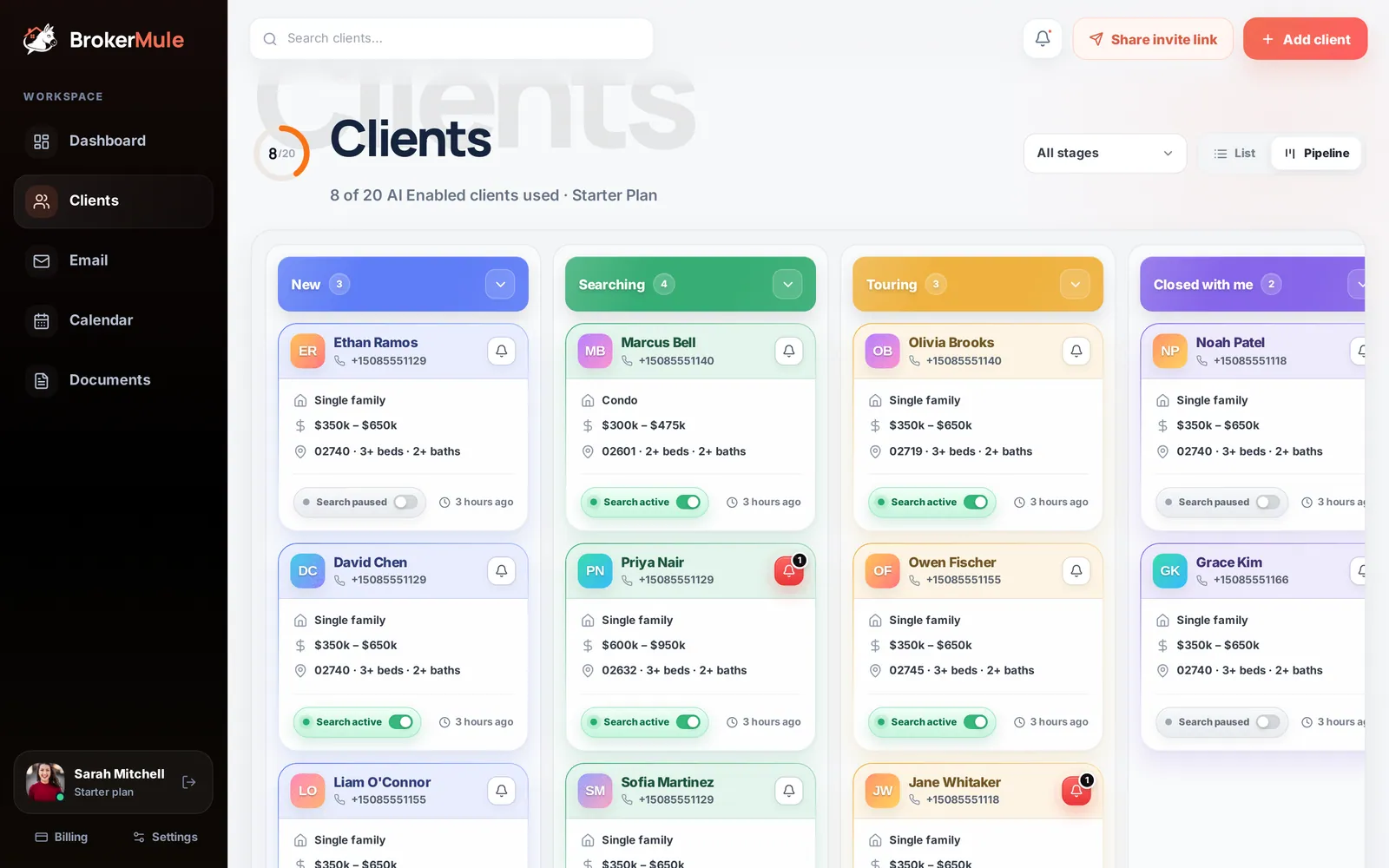
BrokerMule's Clients page has a drag-and-drop pipeline board with four columns, New, Searching, Touring and Closed with me, and you can rename any of them to match your process. Each card shows the buyer's search, whether their texts are on and their last activity. Drag a card to change the stage, add tags like Pre-approved or Investor, and switch to list view to scan your whole book. See managing clients.
The dashboard shows your status split at a glance, and each client's page holds their chat, notes, tour requests and history, so you know the next action before you call.
Do it in BrokerMule
All guidesManaging clientsUse the pipeline board and list view to organize buyers by stage, search and filter your book, and turn texts on or off per client.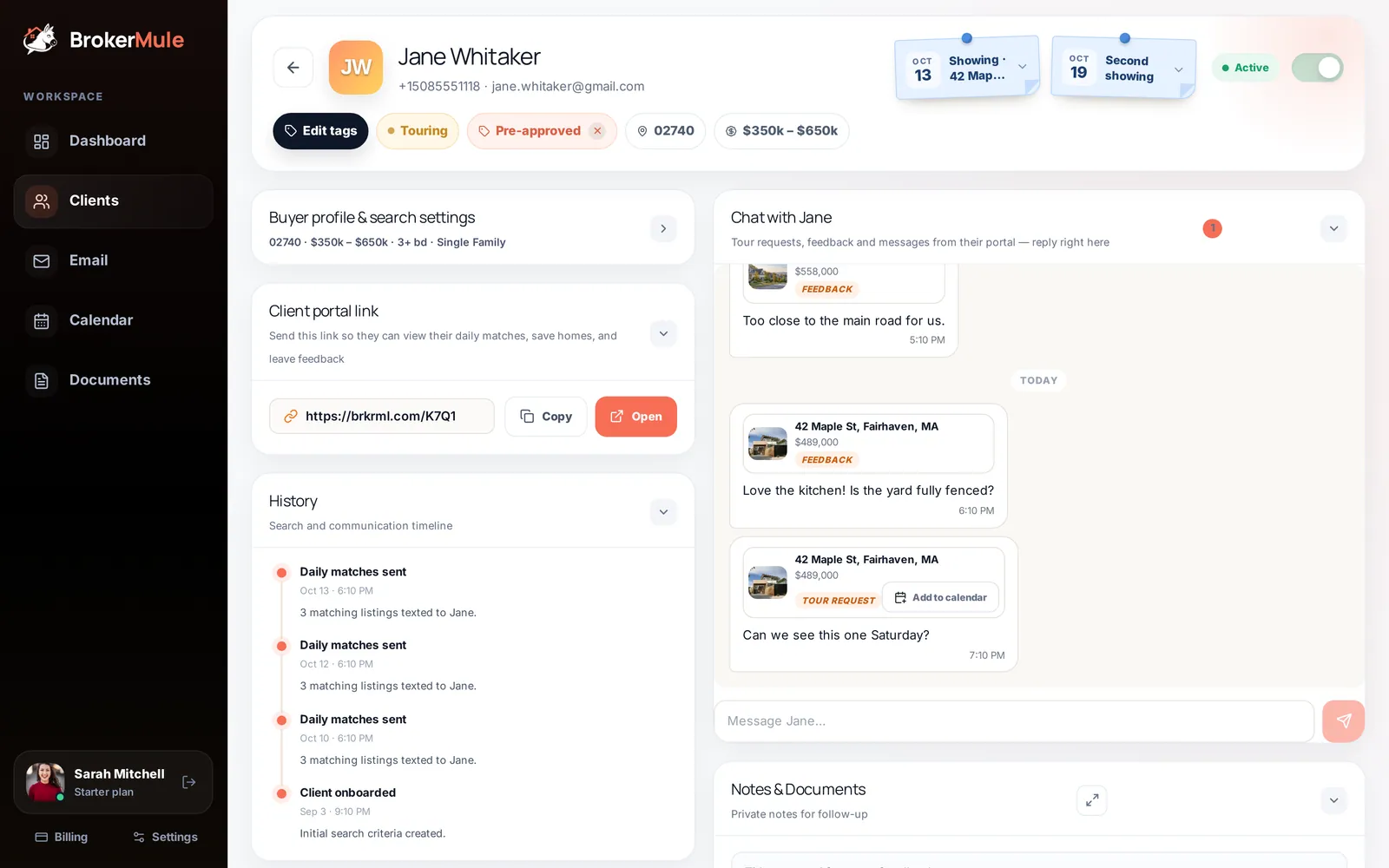 The client pageA tour of every section on a buyer’s page, from live chat and private notes to saved homes, tour requests and the full text history.
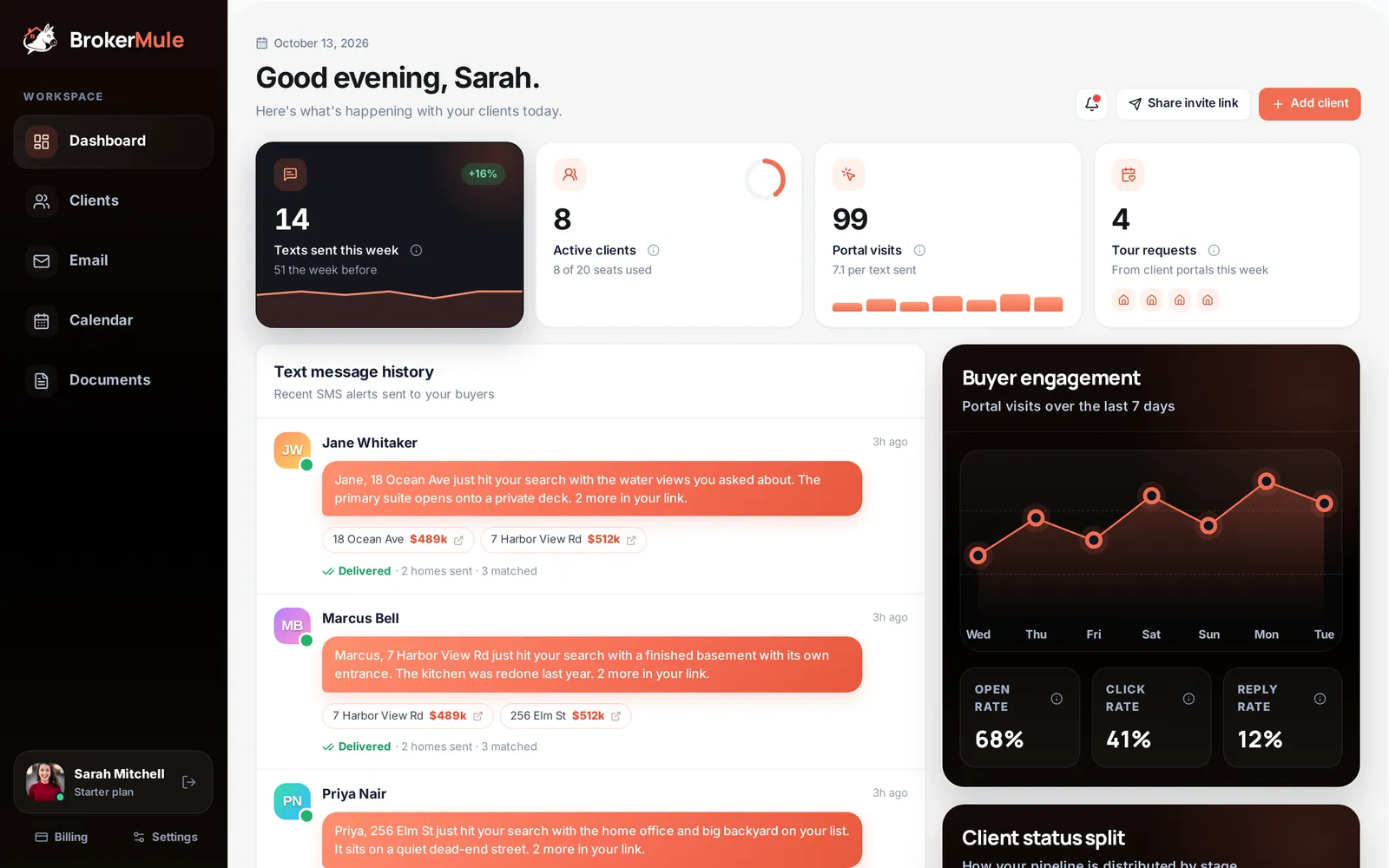 The dashboardEvery stat, chart and list on the dashboard, what it measures and how to act on it each morning.
Frequently asked questions
What are the stages of a real estate pipeline?
For buyer agents, a simple pipeline uses New lead, Searching, Touring, Under contract and Closed, with optional stages like Nurture or Pre-approved if they change what you do.
How many pipeline stages should a realtor have?
Usually four to six. Fewer, clearer stages are easier to keep updated than a long list nobody maintains.
How often should I review my real estate pipeline?
Daily, for about five minutes, so new leads get contacted and no client sits in one stage too long.
What is the difference between pipeline stages and tags?
A stage is where a client is in the process, and each client has one. Tags add details like Pre-approved or First-time buyer, and a client can have many.
Keep reading
 CRM & textingReal Estate CRM vs Spreadsheet: When Is It Time to Switch?
A spreadsheet is a fine real estate CRM at 20 contacts. Five signs you have outgrown it, what a CRM should add, and how to migrate without importing years of clutter.
 Lead follow-upHow to Follow Up With Real Estate Leads: A 30-Day Plan That Gets Replies
A day-by-day plan for the first 30 days with a new buyer lead: what to send, when, and on which channel.
 Lead follow-upHow to Stay in Touch With Past Clients: A 12-Month Plan for Real Estate Agents
A month-by-month plan for staying in touch with past buyers, so the referrals keep coming.